Metro Map Maker 7.2 is live!


Check out what's new, and go have fun making maps!
If you find a bug I missed during testing, please let me know about it by emailing shannon@metromapmaker.com (or reply to this email) and I'll try to fix it as soon as I can. It's extra helpful if you tell me what you were doing, what you expected to happen, and what happened instead.
If you don't find any bugs, send me your cool maps!
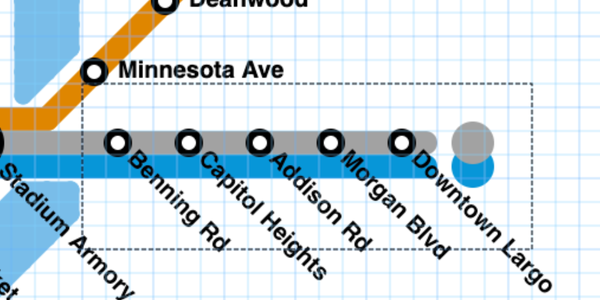
Since the Select tool is new, it may not be obvious how to cancel a selection. You have a few options:
- Press the Select button again (or keyboard shortcut T) to unselect your points. You'll notice that the bounding box with the marching ants animation goes away. You can still create a new selection now if you want, or choose any other tool and continue drawing/erasing/etc as normal.
- Press the Esc (Escape) key on your keyboard to unselect your points and return to the tool you were using before using the select tool. If you want to make a new selection, you'll have to press the Select button again.
- Use the Ruler or Look tool to cancel a Selection, both available in the green menu.
Here's a video highlighting the new features. If you like the Select tool, liking and commenting on the video helps other people interested in making metro maps find Metro Map Maker!
After the last video I made for v7.1, SO many people told me they had never heard of MMM until the video randomly appeared in their feed, thanks to so many people engaging!
Thank you to everyone who has written in and shared their suggestions for what you'd like to see in Metro Map Maker and completed the survey I sent earlier this year. I hope you enjoy the Select tool, I think it's going to be a huge quality of life improvement in using Metro Map Maker just like being able to move stations was.